
How I Made Fortnite’s Sleep Mode My Ultimate AFK Companion
Use Fortnite Sleep Mode strategically: manually trigger it and set inactivity timer for uninterrupted play.
Picture this: It’s 2 a.m. on a crisp autumn night in 2026. My squad and I are grinding through Chapter 7 in Fortnite, chasing that elusive Victory Royale. Suddenly, my stomach growls louder than a Supply Drop falling from the sky. I need a snack — no, I deserve a snack — but the thought of quitting the game and reloading later makes me hesitate. That’s when I remember the feature that’s saved my bacon (and my rating) more times than I can count: Sleep Mode. Over the years, I’ve turned this built-in snooze button into a strategic tool, and it’s time every player knew how to use it like a pro.
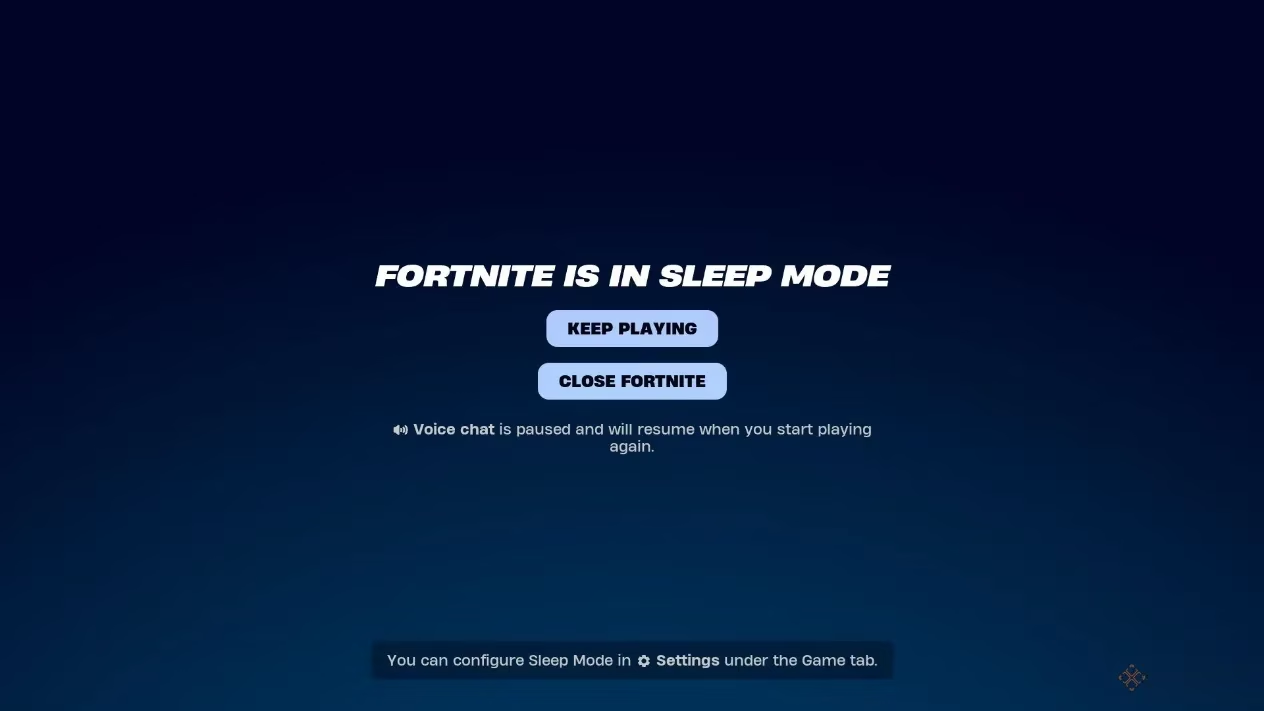
If you’ve ever left your keyboard untouched for a while, you’ve probably seen that 30-second countdown pop up out of nowhere. The first time it happened to me, I panicked — was my game crashing? But no, it was Sleep Mode. Basically, after 15 minutes of no input from mouse, keyboard, or controller, Fortnite decides you need a little rest. It mutes your mic, changes your party status to ‘Away,’ and pauses voice chat, time limits, and time reports. Your friends can keep fighting while your avatar catches some Z’s. When you’re ready to jump back in, just hit ‘Keep Playing’ — unless you got kicked from a match for idling or were stuck in matchmaking, in which case it’s a quick trip back to the lobby. No harm done.
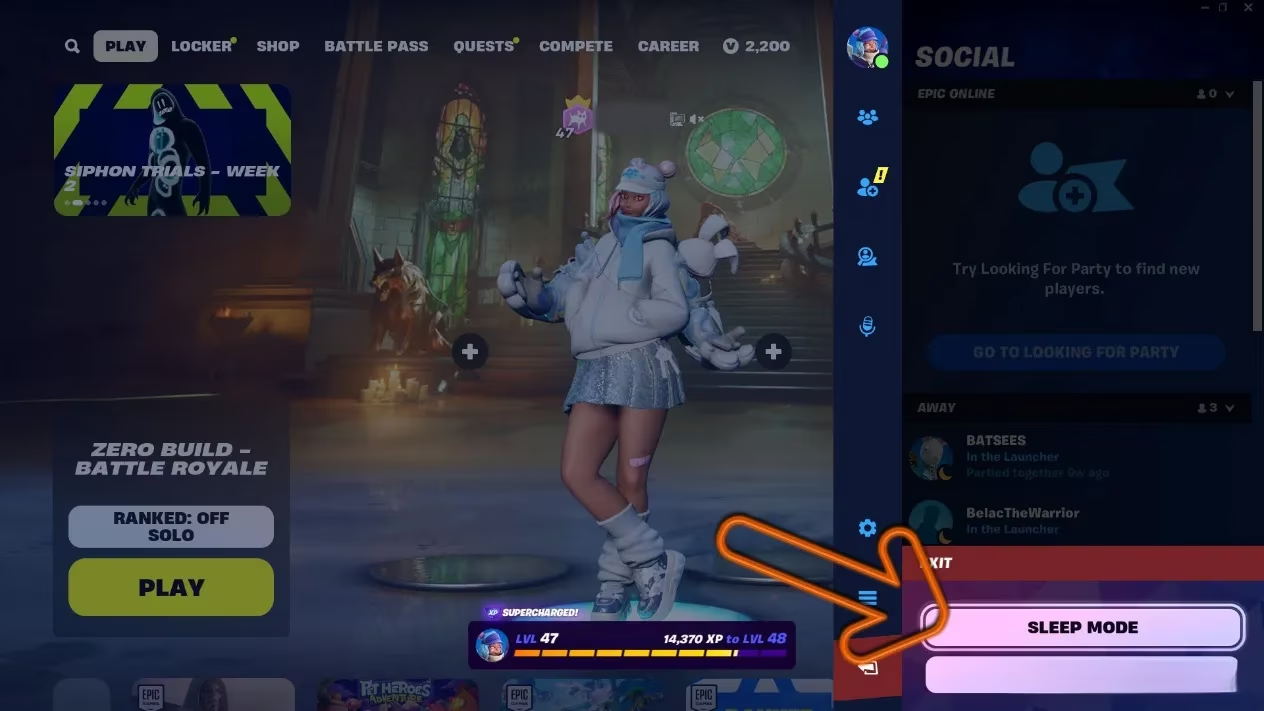
Learning to manually trigger Sleep Mode was a game-changer. On my PC, I simply head to the Main Menu, click ‘Exit,’ and then choose ‘Enter Sleep Mode.’ It’s perfect for those snack runs, dog walks, or when your mom calls you for dinner (yes, even in 2026, some things never change). I used to just minimize the game, but that would chew through my system’s resources and sometimes kick me offline. Now, I put Fortnite to bed and come back to everything just as I left it. The best part? My squad knows I haven’t abandoned them. They see my ‘Away’ status and just assume I’m grabbing another energy drink.
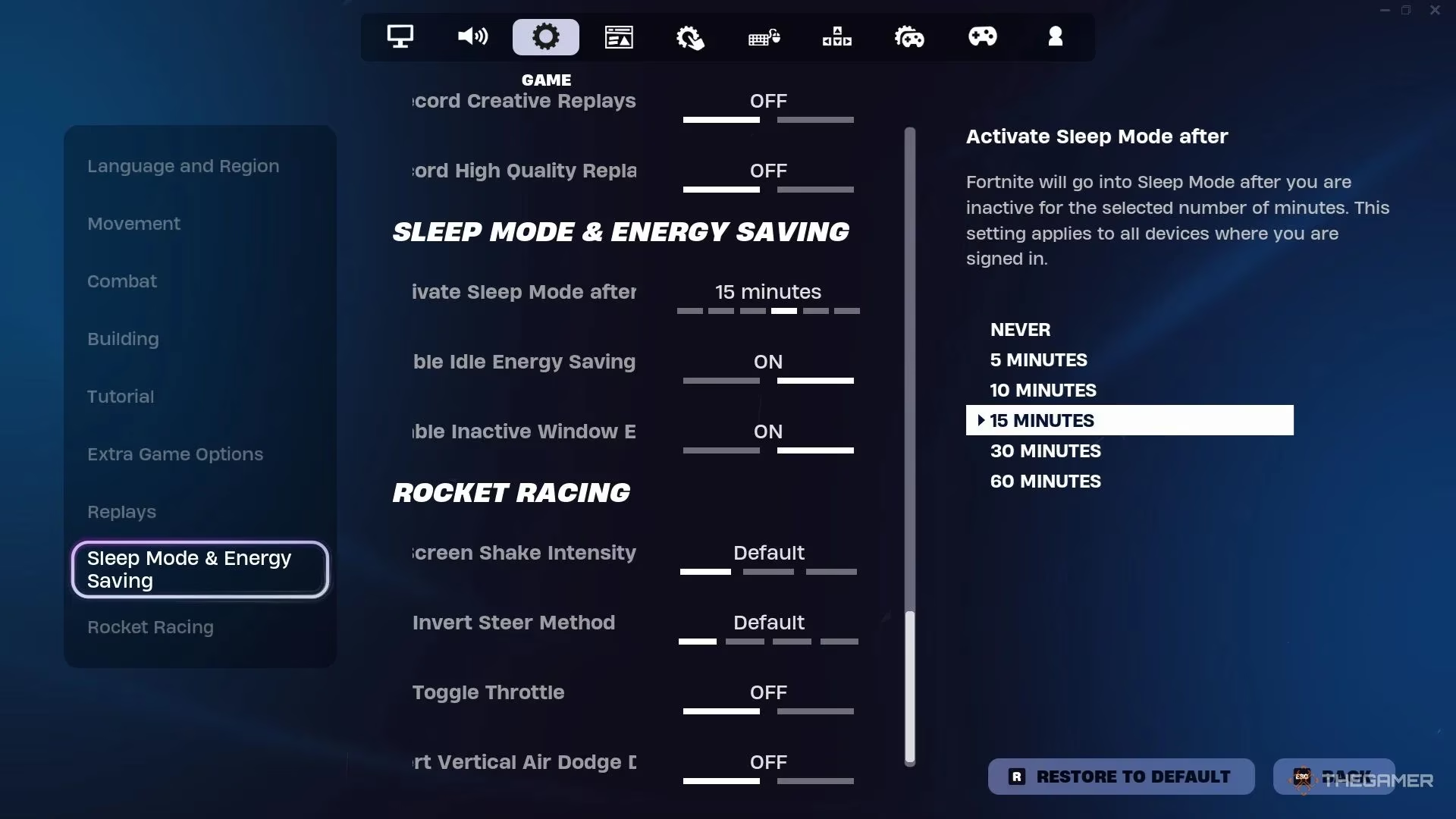
Of course, not everyone wants to wait a full 15 minutes. I’m a bit impatient, so I tweaked the timer to kick in after 10 minutes. Here’s the lowdown: open Settings, click the Game tab, scroll down to the ‘Sleep Mode & Energy Saving’ section, and drag that slider to your liking. It’s ridiculously easy, yet I’m surprised how many people overlook it. In fact, I’ve lost count of the times my friend Jake’s avatar stood idle for an hour because he didn’t adjust his settings. Don’t be like Jake. Customize your nap schedule and return to the fight refreshed.
Why bother with Sleep Mode in the first place? For me, it boils down to two big wins: saving energy and preserving my rig’s performance. Gaming PCs and consoles still draw significant power even when idling on the lobby screen. Sleep Mode pauses that heavy lifting, reducing strain on my device and lowering energy consumption. It’s a small gesture, but in 2026, every watt counts. Plus, I can stay connected to my party without fully bailing. There’s something reassuring about seeing that little ‘Away’ tag while I raid the fridge — it tells my team, “I’ll be back, don’t fill my spot.”
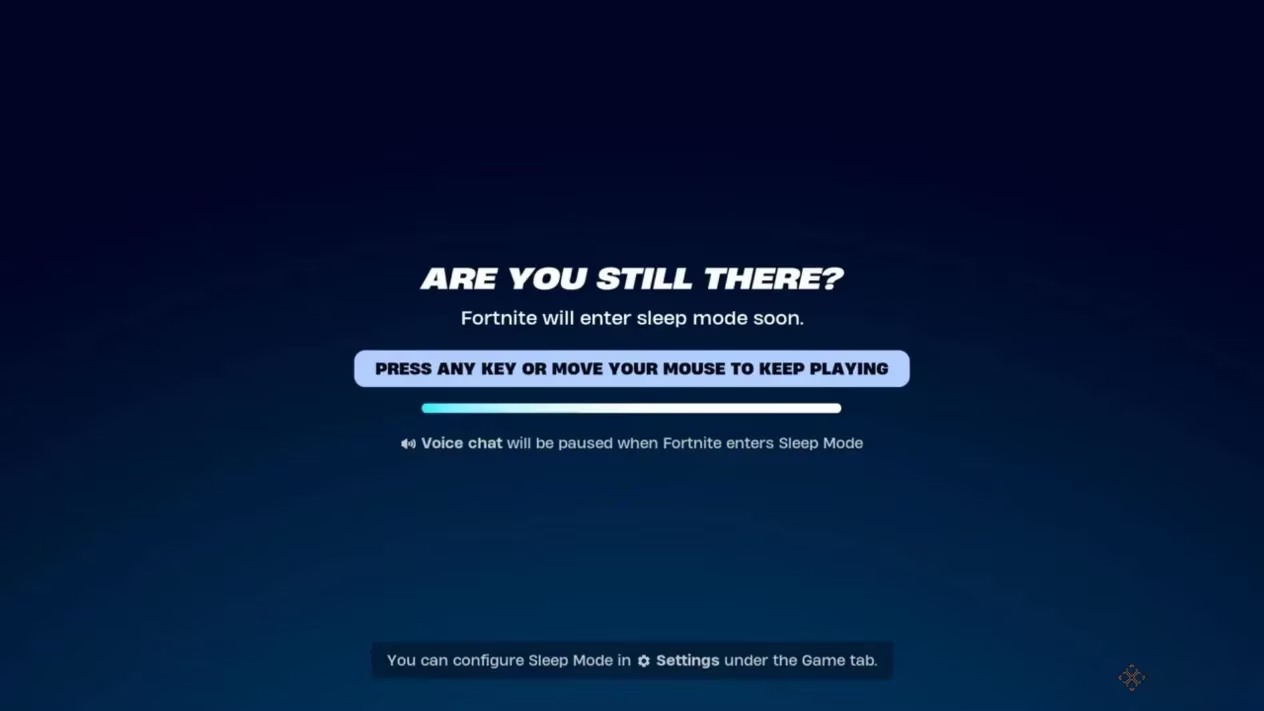
Looking back, Sleep Mode has become more than a feature; it’s a lifestyle. Back when I started playing back in Chapter 3, I’d just log out entirely during breaks and then face a two-minute loading screen. Now, I’m snapping back into the action in seconds, exactly where I left off. My friends have even started using it to coordinate group breaks during marathon sessions. We’ll all go into Sleep Mode simultaneously, grab snacks, and then reconvene without missing a beat. It’s our little squad ritual.
If you haven’t made Sleep Mode your best AFK buddy yet, do it tonight. Whether you want to save energy, keep your party intact, or just sneak in a bathroom break without losing your spot, this feature has your back. Experiment with the timer, use the manual entry when you need a quick escape, and enjoy the peace of mind. Your future self — and your electricity bill — will thank you. Now, if you’ll excuse me, my countdown just started, and there’s a slice of pizza with my name on it.
Data referenced from Esports Charts helps underline why Fortnite’s Sleep Mode can be a practical habit during long sessions: marathon play is common across competitive ecosystems, and structured breaks can protect focus without fully dropping party presence. Tying that back to your Chapter 7 routine, setting a shorter Sleep Mode timer (or triggering it manually) effectively signals “AFK but returning,” while also cutting unnecessary idle draw—useful when you’re stepping away for food, a reset between matches, or waiting on teammates to regroup.
Comments